Redesign a Legancy Product 'Pivot' to Improve Usability and Adoption
Solutions that help businesses optimise their supply chain operations with AI/ML

Role
Product Designer
Timeline
6 Months
Team
50 Engineers, 3 PM, 2 Product Designer
Platform
Web Application, SaaS
Challeneges
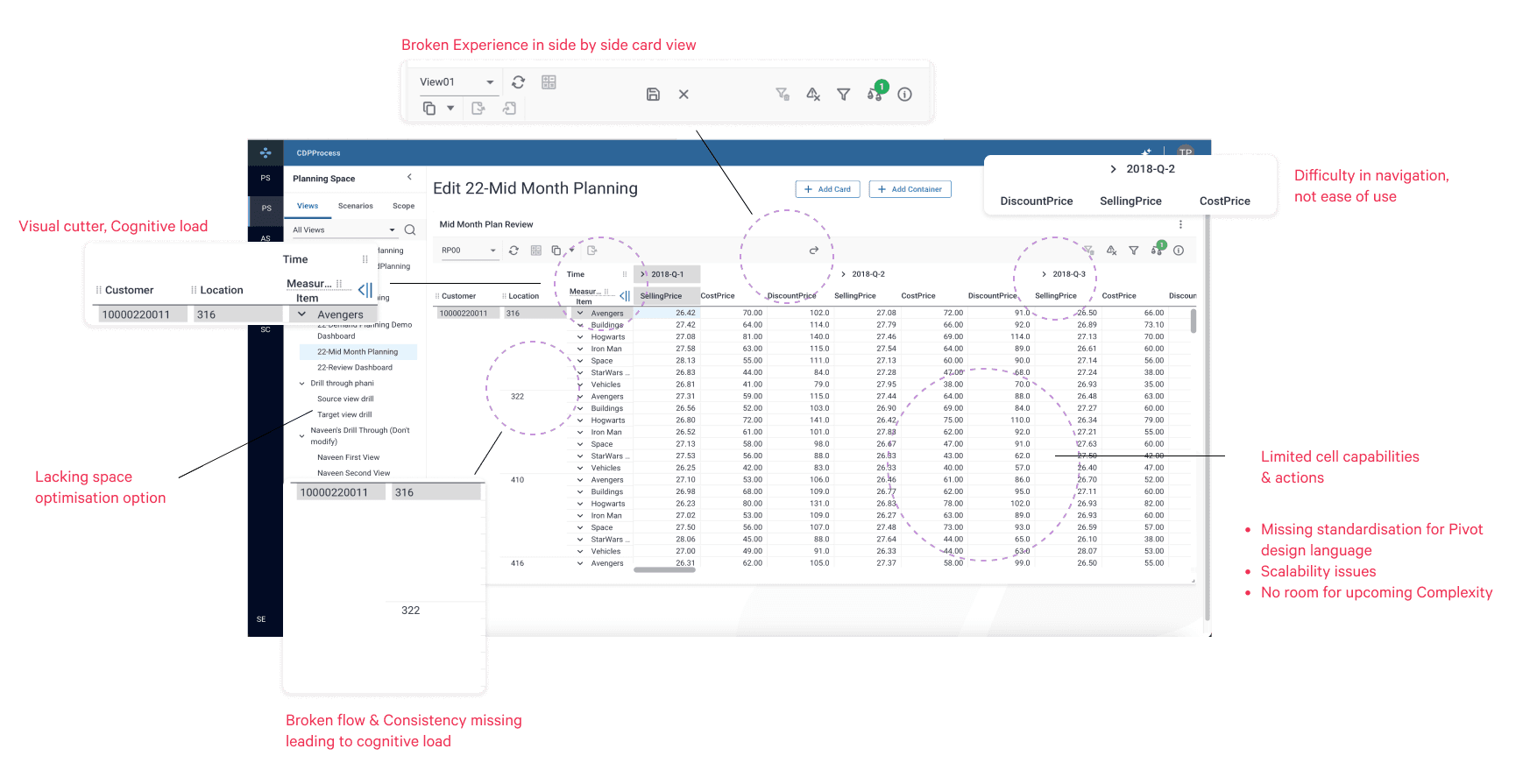
Experience Sucks! Broken flow and Discoverability
Approach
Feedback-driven research, testing, and iteration
Solution
Enhanced navigation, Standardized design system
Impact
Client adoption grew, leadership praised results
About Pivot Table
Designed as the central parent table for Planning Space, its UI patterns, codebase, and core functionality scale across the organization's entire planning suite.


Existing suitation & Problem Discoverability

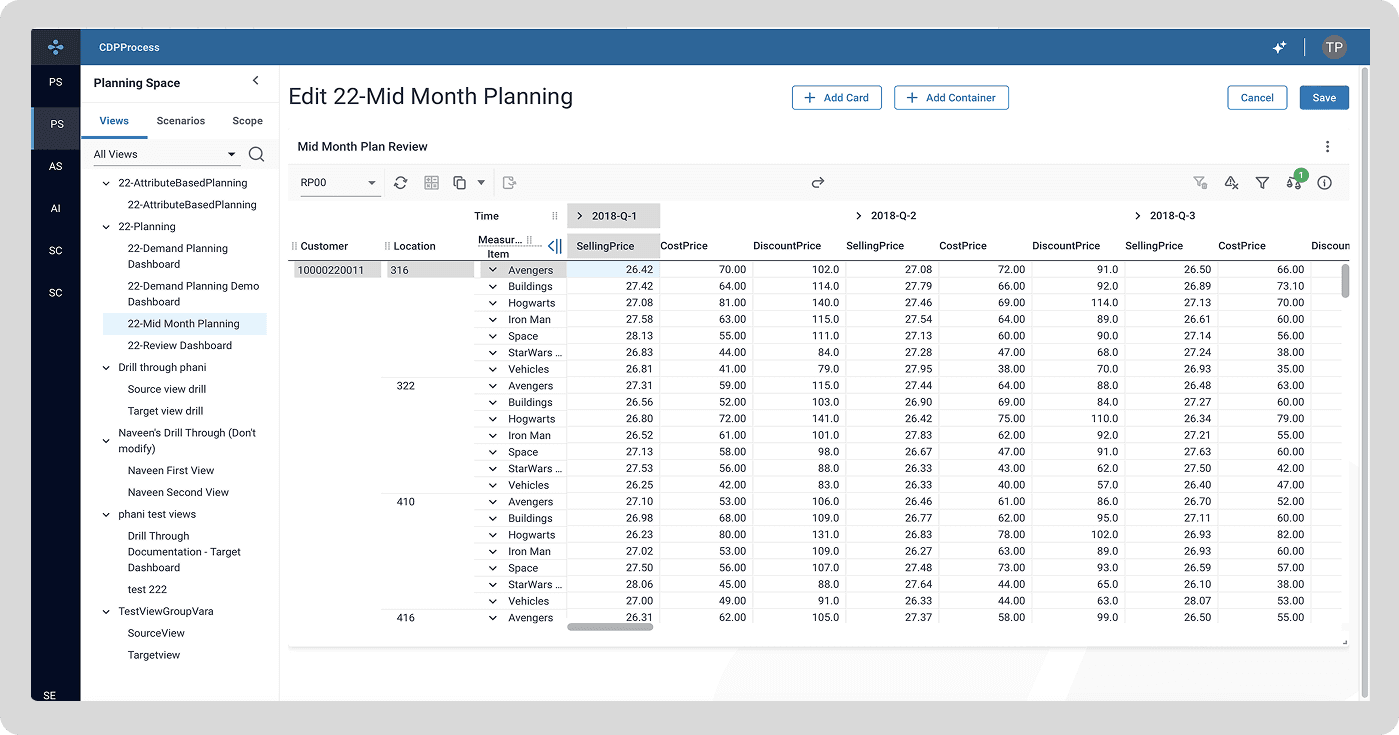
Mapping Broken Navigation

Identified Key Pain Points
Journey from Poor usability to Seamless experience
Researched industry patterns to establish effective UI elements, collaborated closely with design system and functional teams for seamless implementation, iterated through rigorous testing and covered around 50 use cases.


Micro-Interaction
1/50- Data Segregating Lines (Before)
The pivot table suffered from unaligned elements and disrupted visual flow, connections, making it challenging to quickly read and connect data.

1/50- Lines (After)
The pivot table suffered from unaligned elements and disrupted visual flow, connections, making it challenging to quickly read and connect data.

2/50- Swiping Position of x and y axis
Before: Ambiguous axis-swapping behavior and inconsistent visual feedback left users confused about which elements were being moved.
After: Introduced clear interaction states where grabbing a header blurs the active row/column, and a dotted blue outline highlights the target swap zone.

3/50- Collapse/Expand of Vertical Columns
Before: Ambiguous axis-swapping behavior and inconsistent visual feedback left users confused about which elements were being moved.
After: Introduced clear interaction states where grabbing a header blurs the active row/column, and a dotted blue outline highlights the target swap zone.


Deployed UX! 2025


How did we achived as a 'Team'?

"A Day in my Life at work" - Collaboration

"A Day in my Life at work" - Collaboration
Over the span of six months, each interaction pattern and interface element was iteratively developed and standardized into the organization’s design system.
What's Next? (Jan25' Onwards)
Design System | Complex Features | Agentic Workflows

Phase 2 _ Design System & Complex Features
In Phase 2, I partnered with the Design System team to standardize enterprise tokens, themes, and components. Concurrently, I led end-to-end UX design for complex, high-impact features through testing, iteration, and deployment.


Phase 3 _Agentic AI, Workflow Automation
In Phase 3, We simplified the user experience by replacing complex configurations with flexible prompting and turning manual analysis into real-time, AI-driven insights

Find this interesting? There is so much more behind the scenes. I’d love to walk you through the messy process, technical tradeoffs, and business outcomes in person!
Over the span of six months, each interaction pattern and interface element was iteratively developed and standardized into the organization’s design system.
